


With around two weeks to go until Christmas, the goal is no longer long-range planning — it’s protecting service levels and executing cleanly.
In the final stretch to Christmas and New Year, small issues become expensive fast: short supply on key lines, backorders that snowball, fulfilment bottlenecks, invoice disputes, credits/claims, and delivery cut-off confusion across customers and carriers.
The good news is there’s still plenty you can do in the next 14 days to improve outcomes — without changing your entire operation.
This guide is a practical two-week peak season sprint designed to help you:
Whether you’re already well prepared or still playing catch-up, use this article as:

In the final weeks before Christmas, demand and availability can shift quickly — and expectations are high.
Most teams are balancing tighter delivery windows, constrained supply on key lines, pressure on fulfilment speed and accuracy, pricing and margin discipline, and a higher admin load from exceptions (credits, claims and invoice disputes).
The businesses that perform best are the ones who stay in control of availability, throughput, accuracy and visibility.
A good place to start is to review key results from the previous year and combine that with what you’re seeing right now. The goal isn’t a perfect forecast — it’s identifying the products, categories and time periods that matter most in the next two weeks.
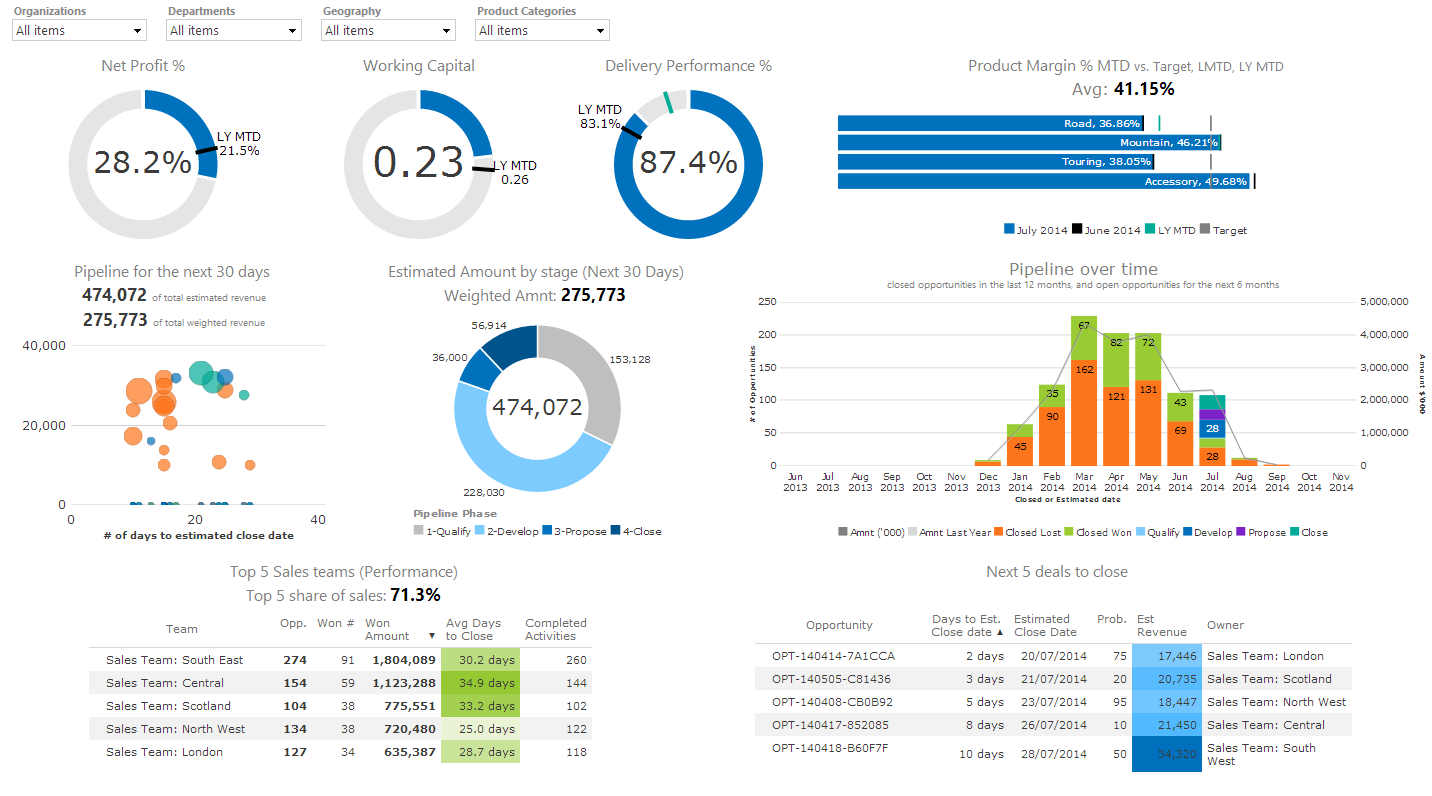
This report shows how much stock was sold, broken down by department, category and individual lines. Use it to:
confirm your top sellers and likely peak categories
set realistic sales targets for the final stretch
identify items that sold out early (and where you can substitute)
Review sales by day, week and hour to understand peak trading windows and slower periods. This helps you plan trading hours and staffing coverage where it matters.
Incoming stock reports help you assess what worked well and what didn’t:
which products and categories sold well
which lines were top sellers or sold out early
which products under-performed
Use this to confirm which items you want in stock now, and which items you should avoid overcommitting to.
Costs matter most when they affect trading decisions right now. Focus on:
staffing costs vs peak trading windows (do you have coverage where demand is highest?)
supplier costs and deal terms (are cost changes flowing through to pricing?)
margin leakage from promotions, discounting, or incorrect pricing
Look for quick wins that protect trading margin in the final weeks.
Now that you’ve reviewed sales and incoming stock, focus on three things: availability on top sellers, avoiding overbuying, and clearing slow movers.
Confirm your A-SKU list (top movers you must not stock out on).
Review purchase orders that are yet to be received and follow up on ETAs.
Identify substitution options for constrained lines (so sales and customer service aren’t improvising).
Assess inventory for stock that should have moved but hasn’t. If you’re sitting on slow-moving lines, now is the time to:
bundle, discount, or reposition those items
free up space and cashflow heading into January
If you need additional stock, focus orders on:
A-SKUs and gift-friendly lines
items you can receive reliably before key cut-offs
stock that supports active promotions
Your purchasing team can enter purchase orders and purchase requisitions into your inventory management solution and send to suppliers with clear delivery expectations.
Modern advanced inventory systems can streamline procurement by letting you:
Review your warehouse and ecommerce fulfilment processes and ensure you have a simple backup plan.
It’s imperative that stock can be received and dispatched as efficiently as possible during peak trading. You can’t afford slip-ups in the last two weeks, especially as delivery windows tighten.
Key checks:
receiving and put-away capacity (especially for fast movers)
pick/pack speed and accuracy
dispatch cut-offs and carrier handover times
a clear process for handling shortages, damages and substitutions
The best inventory management software systems will provide live stock visibility and tools to reduce stockouts and overbuying, including these standard features:
Tip: set your key sales/stock reports to auto-email daily during the final two weeks.

Advanced Warehouse Management solutions, such as those offered by Qdos, offer various technologies for managing warehouse processes. Look for solutions that incorporate barcoded technology, and bin and area management.
Handheld devices will offer features such as receiving stock, stock put away, stock movements, stocktakes, and sales order picking.
Your ‘Scan & Pack’ solution should be capable of picking multiple orders (eg 40 orders) at the same time, and able to guide warehouse staff on the best pick path to save time. It also needs to integrate with popular carriers and shipping platforms such as Australia Post and StarShipit, and able to batch dispatch sales orders.
Warehouses can become the bottleneck during peak period, with increased inbound stock and higher outbound order volumes.
Make it easier on the team by:
prioritising put-away for fast movers
keeping pick faces stocked and organised
reducing paper where possible and using barcode scanning for accuracy
keeping a daily list of the “top exceptions” to resolve (short picks, damages, stock discrepancies)
It’s time to check if the Christmas-based promotions are all on track.
If you have made supplier agreements, confirm that promotional products and gift packs have arrived. Are they on display in the right areas (in-store and online). Make sure you have enough stock to support the promotion — use live stock reports to validate availability.
Liaise with suppliers to see if there are any last-minute promotional opportunities. Get creative and work together to clear stock and increase sales — but keep an eye on margin and stock cover.

Top tips to check leading up to the Christmas and New Year period:
Email is one of the fastest levers you can pull in the final two weeks.
Strengthen Your Marketing & CRM Performance During Peak Season. During Christmas peak, the quality of your marketing and customer communication can make or break your results. Qdos gives retailers, wholesalers and distributors the insight and control needed to run targeted, reliable and high-impact campaigns — without overwhelming your team.
It’s never too late to incentivise your staff to drive sales.
Use your reporting to understand the products you want to drive (high margin, exclusive products work best) and then create a staff incentive plan based on sales outcomes. Keep it simple, visible, and easy to execute.

We wish you all the best for a successful peak trading period, and we look forward to 2026.
If there’s anything we can do to help you make the most of your Qdos ERP software and reports during peak season, please call Qdos on 03 8644 4080.
Qdos’ integrated software solutions help you manage your inventory and sell stock efficiently across all your sales channels.